
Municipal operations
CivicFlo AI
AI FOR SMART CITIES
Intelligent workflows.
Stronger communities.
CivicFlo AI is a municipal workflow and intelligence platform designed to connect residents, departments, processes, and the information needed to deliver city services.
Bring service intake, assignments, progress updates, and operational context into a more connected municipal workflow. CivicFlo AI is organized around the people who request services and the teams responsible for delivering them.
BEFORE & AFTER / CivicFlo AI
From disconnected requests to a clearer service journey.
| The work | BEFOREDisconnected. Manual. Reactive. | AFTER / WITH CIVICFLO AIConnected. Coordinated. Visible. |
|---|---|---|
| 01Citizen requests | BeforePhone calls, emails, and in-person reports can be difficult to reconcile. | With CivicFlo AIA configured intake workflow gives requests an identifiable starting point and record. |
| 02Manual processes | BeforeRepeated data entry and handoffs create disconnected steps. | With CivicFlo AIRouting and assigned next steps support a more consistent service workflow. |
| 03Limited visibility | BeforeTeams and leadership may rely on separate status updates. | With CivicFlo AIShared operational views make request status and workload easier to review. |
| 04Location context | BeforeService issues are difficult to compare geographically. | With CivicFlo AIConfigured mapping helps teams review locations, wards, and patterns together. |
| 05Delayed communication | BeforeResidents repeatedly follow up for information. | With CivicFlo AIDefined confirmations and progress updates create a clearer communication path. |
| 06Manual reporting | BeforeTime is spent assembling information from separate sources. | With CivicFlo AIOrganized records support more consistent reporting and review. |
| 07Reactive coordination | BeforeProblems become visible only after a service breakdown. | With CivicFlo AIReview queues and escalation rules help teams identify items needing attention. |
Illustrative workflows and intended benefits. Not measured customer results or a promise that every feature is included in every deployment.
WHAT YOU GET
A clearer scope. A more useful system.
Explore the capability areas in the supplied CivicFlo AI materials. Access, live data, and integration availability are confirmed for each municipality.
Citizen engagement
Offer a clear starting point for requests, department access, and service updates.
Request routing
Organize requests around the responsible department, owner, and next step.
Department workflows
Support configured forms and workflows for services such as licenses, clerk requests, and inspections.
Work & request visibility
Bring request status, assignments, and workload context into an operational view.
Mapping & location context
Explore service locations, ward context, and geographic patterns where mapping is configured.
Updates & notifications
Define the confirmations and progress communications residents and teams need.
Reporting & insights
Organize service activity and reporting requirements around meaningful operational questions.
Permissions & review
Define access, records responsibilities, review points, and escalation boundaries.
YOUR AGREED DELIVERY SCOPE
Know what is included.
Know who owns the next step.
Deliverables and acceptance criteria are documented before implementation. No inferred features or surprise integrations.
- Service and department workflow map
- Configured intake and routing scope
- Role and access requirements
- Notification and escalation plan
- Reporting and mapping requirements
- Pilot, training, and acceptance plan
Discover
Clarify the people, work, and priorities.
Define
Agree scope, sources, permissions, and approval rules.
Demonstrate
Test a bounded workflow against acceptance criteria.
Handoff
Train, document, review, and improve.
Product materials are illustrative. Dashboard values, named implementation locations, and technology logos do not verify active deployments, endorsements, or live integrations. Scope and security requirements are validated for the municipality.
LOOK CLOSER
Your platform. In greater detail.
The AEOD-supplied overview and before-and-after artwork, kept intact. Open either piece to zoom and read the full detail.
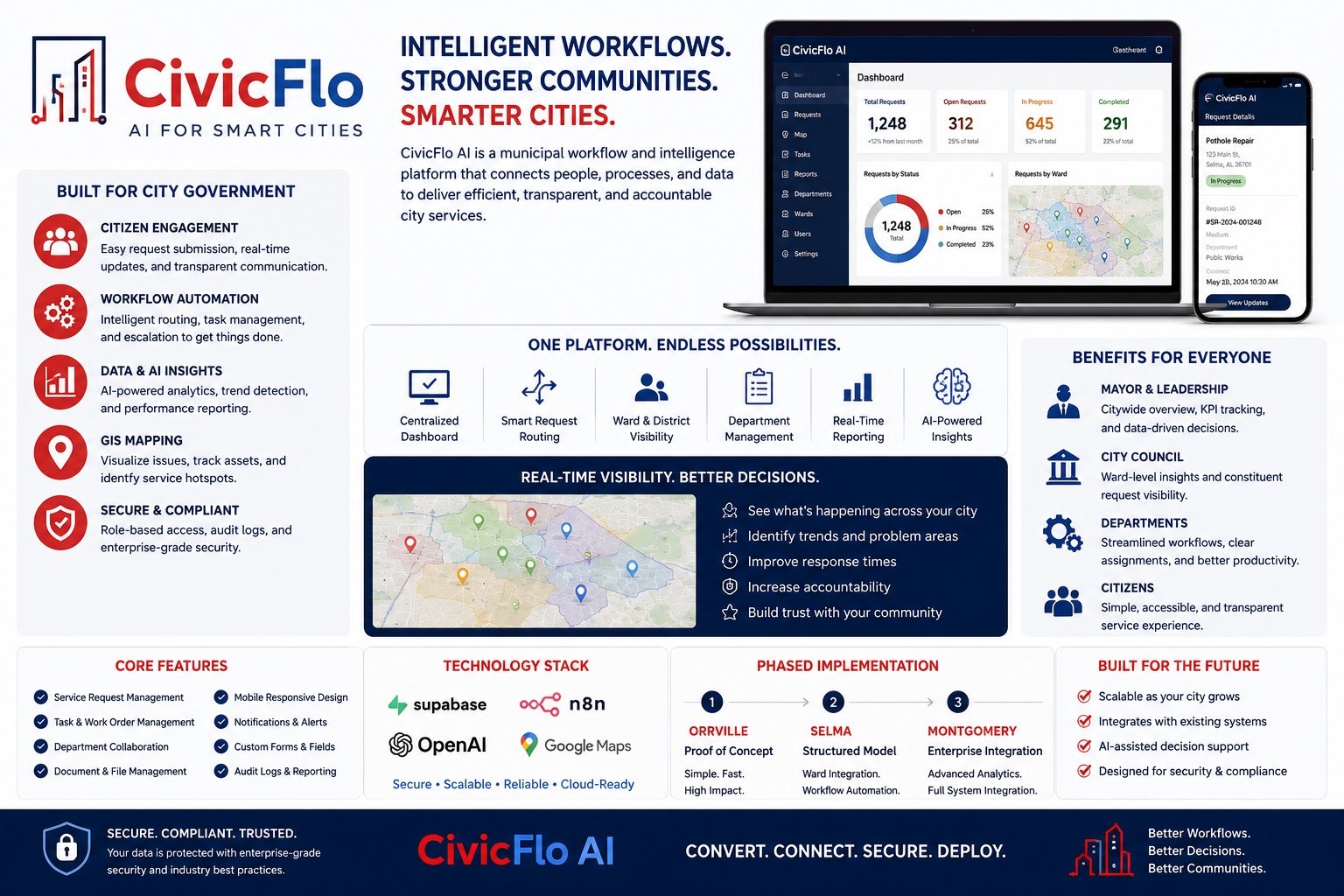
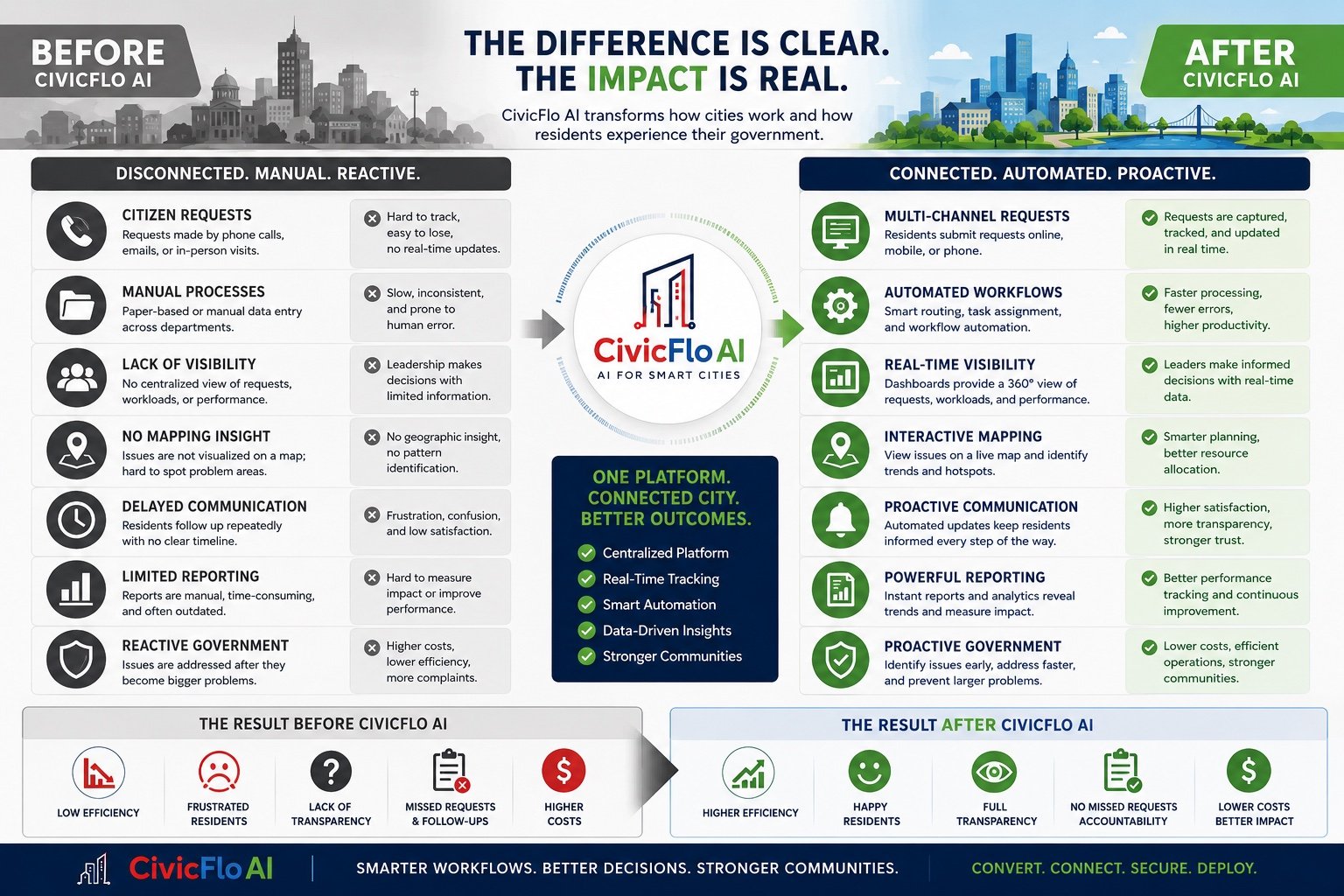
Supplied artwork may include concept metrics, planned features, or draft contact details. Use this website’s AEOD contact controls. Capability, integration, compliance, and outcome claims require confirmation before public release.
One platform. Connected city. Better outcomes.
Let’s define the right starting point for your organization.